
Roland Juno D

Successful repair of a Roland Juno D
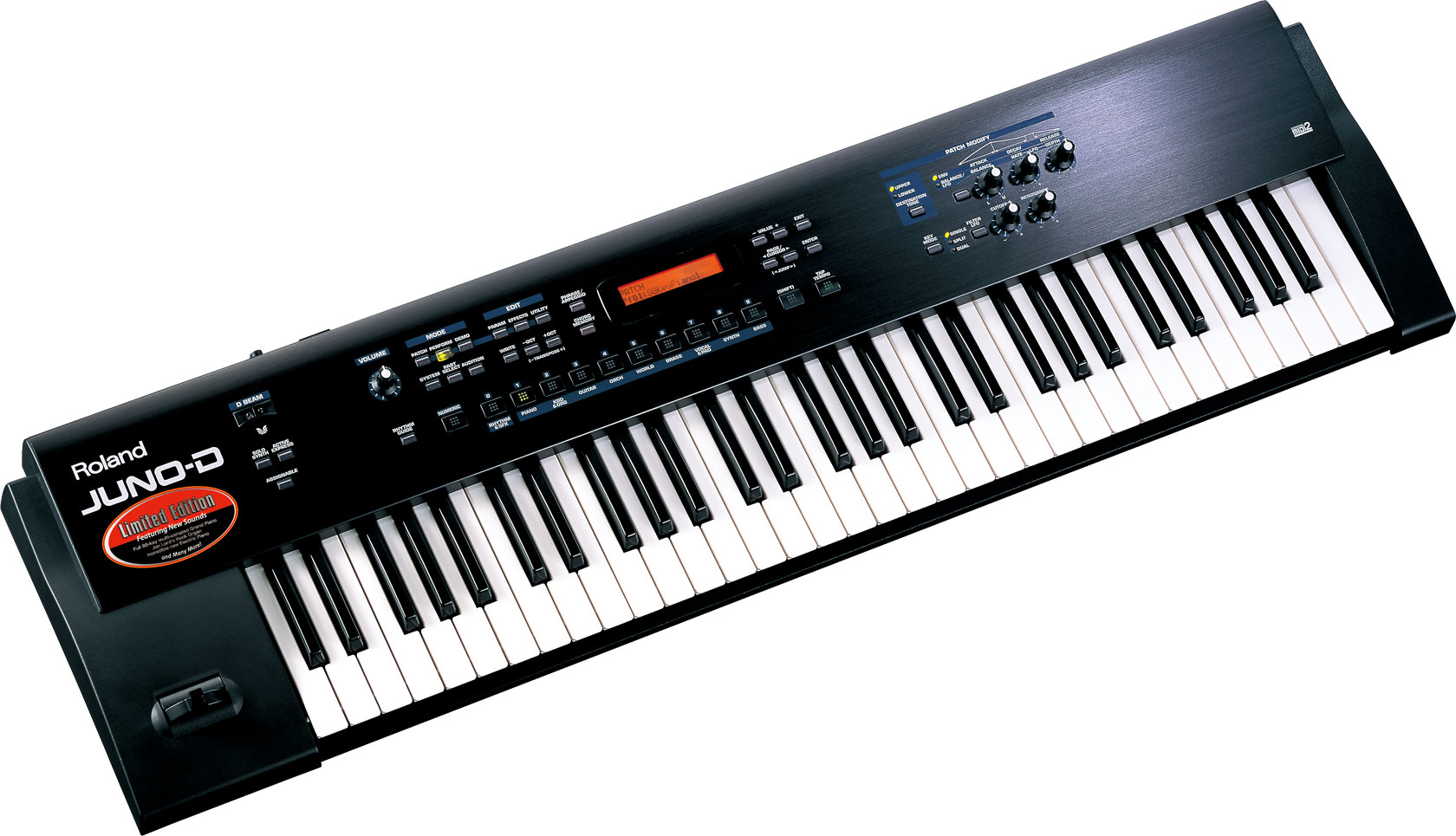
Last year I purchased a Roland Juno D for almost nothing. Physically in very good condition, the synth engine is working when driven by MIDI. But evidence of a liquid spill inside the casing lead to a barely working keyboard and the death half of the tact switches. Some screw were missing, probably a former cleanup attempt.

Boards and keyboard

There are 4 boards inside the Roland Juno D: the main board with highly integrated custom chips (SMD mounted), 2 boards for the front panel with thru hole components, and the power regulation board (the PSU is external).

On the front panel board, the button are standard tact switches from Alps, but with 2 legs.

The very lightweight keyboard is connected to the main board with a 2 x 8 pin connector. It can be removed quite easily, and the synth can still boot and work via MIDI. I've read somewhere it comes for Fatar, but the PCB is labelled Roland. The contacts are dual contact carbon rubber.

Cleaning

I cleaned the tact switches with a standard cleaning contact spray (such as Deoxit D5). However, the spray only was not enough; I had a better result by fixing a piece of rubber band to the tip of a stick (actually the body of a pen), and then put the stick in my cordless drill. I was able to spin the actuator of each tact switch, achieving a more efficient cleaning.

Removing the keys is easy: simply remove the spring on the back with a pair of pliers, and pull the keys from the front. Springs are different between white and black keys. Remove the white keys first, then black keys. Take care of the small rubber bushing. Pretty dirty job due to the generous amount of grease Roland put on the bushing. The keys are cleaned in lukewarm water with dish soap. The cleaning of the keyboard carbon contacts was achieved simply with Q-Tips and isopropyl alcohol. However, three cleanups were required to have a perfectly working keyboard; I had to remount the synth between each cleanup to test the contacts. To reassemble, put the black keys on first. Take care not to trap the front stop under each key between the 2 layers of felt.

Finally, the case was cleaned under running shower with dish soap and a gentle brush, and dried with hand dryer.

Comments

Popular posts from this blog

Drive replacement for Fostex DMT8-vl

The IDE hard drive on my Fostex DMT8-vl multitrack recorder shows signs of its imminent death; when getting hot, I could not record anymore. Must be said this drive comes from an old Sun Station, and has been replaced because I/O failures were detected by Solaris. It worked at least 5 years in my recorder: not so bad. However, time is now to replace it. The DMT8-vl is not able to handle drives bigger than 8.4 GB. Well, it is able to (the current drive is 15 GB), but only 8.4 GB will be usable. My tought was to use a 8 GB CompactFlash; having no moving parts means no noise, which is quite temptating for a music recording device. I purchased a CompactFlash-IDE adapter on the internet (8$) and I had to build a male-male IDE cable adapter (4$). Unfortunately, this doesn't work. The drive is correctly discovered by the operating system, which proposes to format it ("format IDE?"). After answering "yes", the formating runs pretty fast (faster than on a real drive), ...

Samba: Clients get "system error 1223" (or 123) after a server reboot

Facts: a Linux+Samba server shares anonymously a folder. After a reboot, Win clients could not attach the share drive anymore. C:\>net use \\mylinux\folder Enter the user name for 'mylinux': System error 1223 has occurred. The operation was canceled by the user. C:\>net view \\mylinux\ System error 123 has occurred. The filename, directory name, or volume label syntax is incorrect. The process are present, and tcpdump doesn't provide much information. What's going on? After hours of headscratching, the light came: the firewall was on and no rules for the Samba protocol! Grrr!

Issue with Soundpool MO4

I have a Atari STe with a Soundpool MO4 MIDI extension. It used to work very well, but unfortunatelly doesn't anymore: Cubase still detects it, and I can output MIDI to it but nothing is coming out from any MIDI Out. It took me a while to tackle it (lack of time, lack of tool, other items to play with), but I gave a glance last week-end. The parallel port on the Atari uses only the following signals: Pin 1 : Strobe (Atari -> MO4) Pin 2 : Data 0 (Atari -> MO4) Pin 3 : Data 1 (Atari -> MO4) Pin 4 : Data 2 (Atari -> MO4) Pin 5 : Data 3 (Atari -> MO4) Pin 6 : Data 4 (Atari -> MO4) Pin 7 : Data 5 (Atari -> MO4) Pin 8 : Data 6 (Atari -> MO4) Pin 9 : Data 7 (Atari -> MO4) Pin 11: Busy (MO4 -> Atari) The MO4 also decodes few other pins, but since the Atari doesn't, my guess is the MO4 was also targeted for PC. Inside the box, the MO4 is architectured around a CPLD (IspLSI1016 from Lattice) which contains the logi...